“I’ve had an amazing experience with amazing results. Kenneth worked miracles with minimal guidance from me in just one day. I am simply blown away and very happy.”
Carrie Davis
Google review via TrustindexKmarks Web & Computer Solutions
Kmarks designs and supports custom websites, web apps, portals, forms, and digital modernization projects for public entities, institutions, and growing organizations.
Find your service path
Whether you are growing a business, serving a learning community, or improving a public-facing service, Kmarks helps you move from a clear need to a practical digital path.
Custom websites and web-app pathways, local visibility and campaign pages, and ongoing website support.
Institutional website redesign, content systems people can maintain, and accessible information and forms.
Public-service websites and portals, applications and notices, accessibility, and dependable support.
The mirror
Visitors should not have to hunt for a service, teams should not have to work around the site, and marketing should not have to explain what the experience leaves unclear.
Kmarks' Remedy
The Blueprint
Let us be your digital partner. We make it simple to do business online!
Kmarks recognition
Four Kmarks awards and recognitions are part of a wider proof story: public-facing work, long-term client support, and a practice shaped around clear, accessible experiences.
Proof and client voices
4 awards & recognitions · 5.0 Google rating from 74 reviews · 100+ websites · 20+ states served
Six detailed project stories from Kmarks’ current Case Studies hub show the approach behind public service, education, health, community, and home-service work.
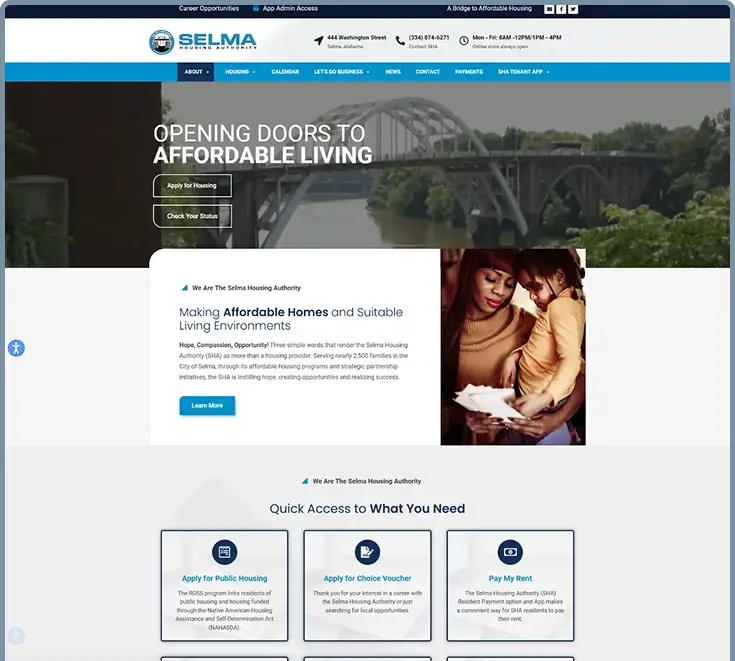
A resident-focused public-service experience that brings housing information, applications, programs, notices, and resources into clearer view.
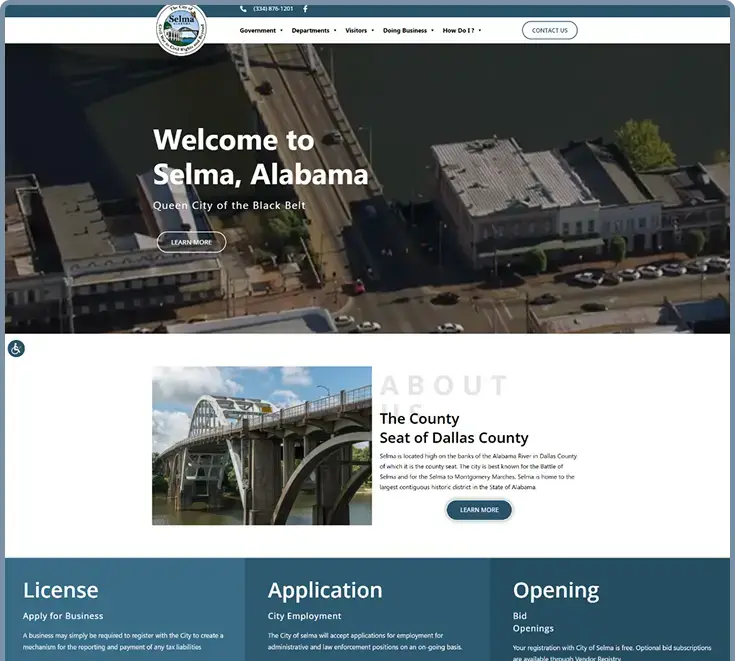
A civic digital front door organized around city services, departments, public notices, resident needs, business information, and visitor pathways.
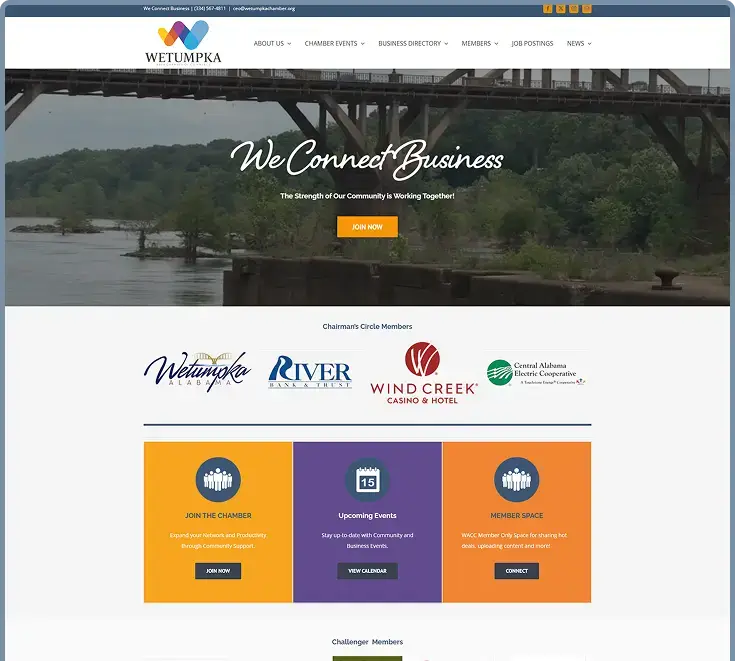
A community-facing chamber experience that makes local businesses, events, programs, and visitor information easier to discover.
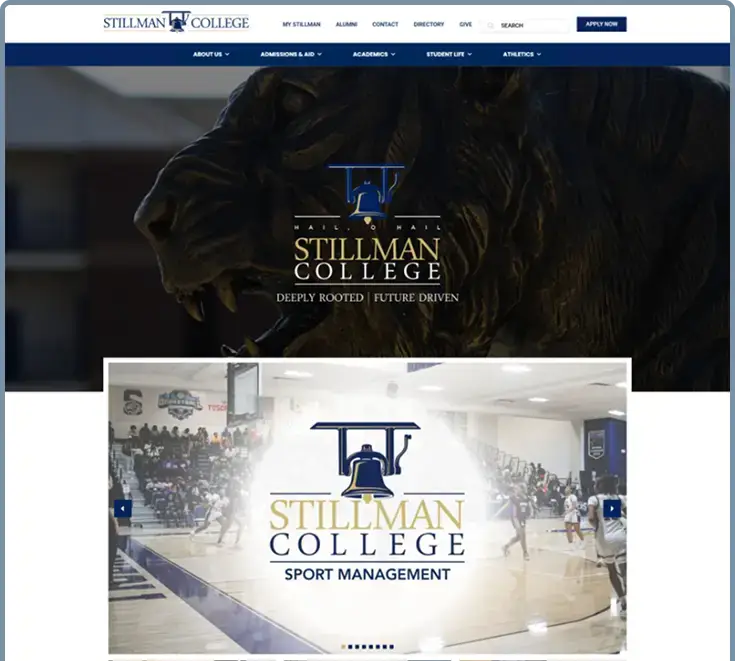
An audience-first higher-education experience that gives prospective students clearer pathways to admissions, programs, campus life, and key information.
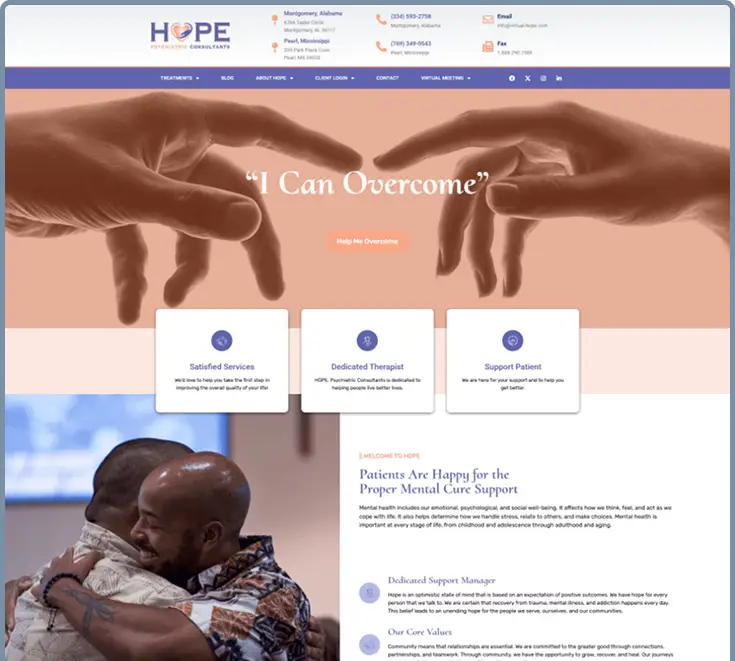
A calm, trust-focused mental-health experience that clarifies services, telehealth pathways, state-specific portals, and next steps for new visitors.
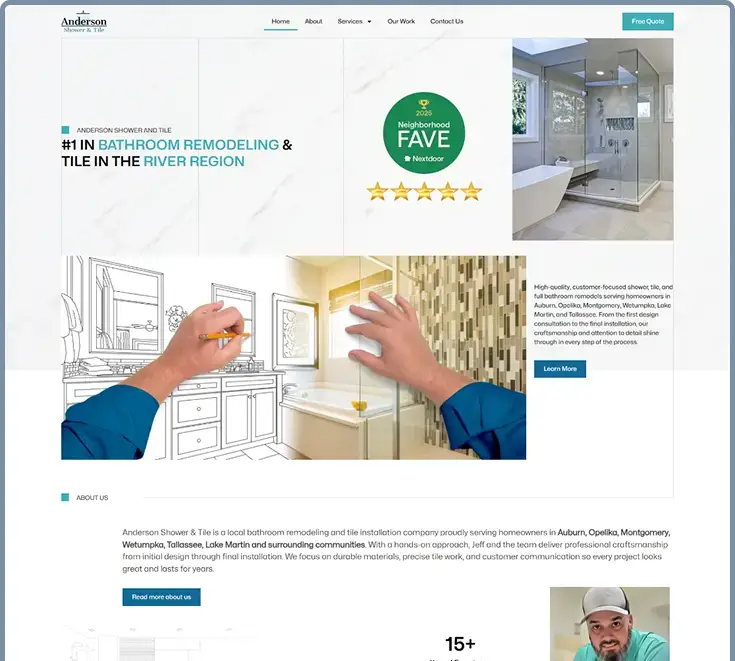
A remodeling website that gives services, project credibility, and quote-oriented next steps a clearer path for homeowners.
A cross-section of authentic client marks from Kmarks’ public gallery and approved client asset collection appears on the homepage. Explore the public project archive for the wider body of work.
 NewU
NewU Selma Housing Authority
 Trenholm State Community College
 Skin180
 Empower Health
 A&M Tile & Remodeling
 Agile
Agile Eagle Forum of Alabama
 Air Works
 Alexander City Housing Authority
 BEATS Business Equipment Ad Valorem Tax Services
 City of Selma
 Diamond Head Shaved Ice
 Dothan Housing
 Cullman Housing Authority
 Creekside Lodge & Conference Center
 GK
GK Coaches Corner
 Coosa Outdoor Worship Spot
 Dr. Detail Extreme
 Emerald Mountain Golf Club
 FYE
FYE Titan
Titan Shorter Alabama
 The Stillman Foundation
Kmarks has developed more than 100 websites across the United States. The public archive currently lists 72 named client-site references.
Google review excerpts are presented through Kmarks’ current Trustindex review source. The stated five-star treatment represents the documented overall rating, not an individual review rating.
“I’ve had an amazing experience with amazing results. Kenneth worked miracles with minimal guidance from me in just one day. I am simply blown away and very happy.”
Carrie Davis
Google review via Trustindex“From the very beginning, the process felt personal and collaborative. They listened carefully to my ideas and transformed them into a beautiful, professional, and user-friendly website.”
Dr. Ashley Edwards Tippins · Remedy Psychiatry & Counseling, LLC
Google review via Trustindex“Amazing IT company! Ken does all things IT and I appreciate him coming on board to help my law firm. He jumped in swiftly and got straight to work, and I’m loving the results!”
Cherise Challenger
Google review via Trustindex“Kmarks clearly understands the importance of a remarkable web presence. The final product aligns with our mission and presents us as a top-level, distinguished business.”
Dr. Jerri Jackson · Distinguished Educational Consulting
Google review via Trustindex“The updated site is modern, fast, and user-friendly. Kmarks took the time to understand our goals, offered insightful recommendations, and delivered a final product that reflects true craftsmanship and professionalism.”
Alabama Legal & Investigative Services, Inc.
Google review via Trustindex“Their team demonstrated professionalism, creativity, and a strong understanding of our vision. Communication was seamless, timelines were met, and their attention to detail was unmatched.”
Galina Matthews · Innovare Strategic Enrollment Solutions
Google review via TrustindexGoogle reviews via Trustindex are identified as a source context; the five-star treatment represents Kmarks’ documented overall rating, not an individual review rating.
Business source: BBB business profile (opens in a new tab).
The Project Planner organizes goals, current challenges, timeline, and contact details into a practical starting brief for a focused next conversation.
Yes. Hosting and website management, content support, technical help, visibility work, and maintenance paths are part of the wider Kmarks service catalog.
Start with clarity